





































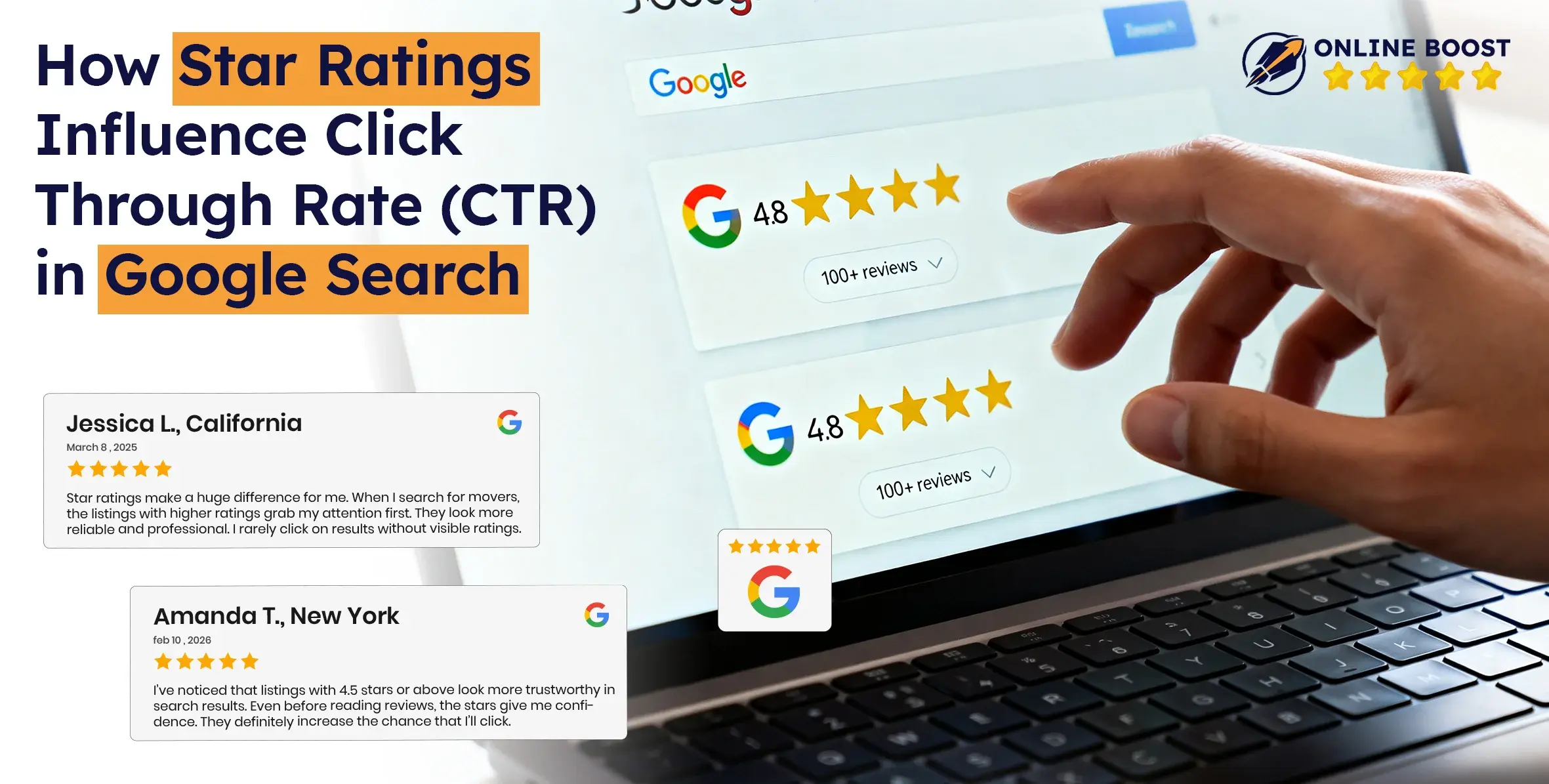
People don’t always choose the best option. They choose the option that feels most trusted.
Think about your own behavior for a moment. When you search something on Google and see two similar results, one showing 4.8 stars with hundreds of reviews and the other showing nothing, which one do you click first?
That simple visual signal decides everything. That is why star ratings influence click through rate in multiple ways.
If you look at modern search behavior, the pattern is clear. Studies across the SEO industry show that results enhanced with Google star ratings and Google rich snippets can increase clicks by 15% to 35%.
Star ratings act as instant social proof. They tell users that real people have already experienced something and shared their opinions. Businesses that understand how to increase CTR with star ratings are influencing decision-making at the exact moment a user chooses where to click.
So, let’s discuss how star ratings influence choices, and change the way people interact with search results.
What “Star Ratings” Mean in Google Search Results
In simple words, Google star ratings are visual indicators of user feedback that appear directly in search listings. They usually show an average rating (like 4.5 out of 5) along with the number of reviews. This information helps users quickly judge credibility and quality without extra effort.
For business owners, this is a trust mechanism. For users, it is a shortcut to decision-making.
You will often hear people say, “ratings are social proof in their fastest form.” That is exactly what happens here. These stars communicate reputation instantly.
Rich Results vs Review Platforms vs Local Stars
Many people assume all-star ratings in Google are the same. They are not. Google displays ratings from different sources, and each type serves a different purpose.
Here are the three main types you will notice:
1. Website-Based Ratings (Rich Results)
These come from your own website using structured data. Google reads this markup and may display ratings as part of Google rich snippets.
- Generated from your website’s content.
- Common for products, recipes, software, or articles.
- Requires technical implementation.
- Helps search listings stand out visually.
2. Third-Party Review Platforms
These ratings come from external review websites or platforms where users leave feedback.
- Based on independent user feedback.
- Often linked with online reviews from review sites.
- Builds external credibility.
- Google may show aggregated ratings from trusted sources.
3. Local Business Ratings (Google Business Profile)
These are the most familiar ones. They come directly from Google reviews left on your business profile.
- Shown for local businesses like restaurants, clinics, and services.
- Appears in local search results and map listings.
- Directly connected to customer experience and reputation.
- Important for businesses trying to get reviews online from real customers.
Here is a simple comparison.
| Rating Type | Source of Reviews | Where It Appears | Who Uses It Most |
|---|---|---|---|
| Rich Results | Website content using structured data | Organic search listings | Ecommerce, SaaS, content sites |
| Review Platforms | Third-party review sites | Search results or review pages | Brands seeking external trust |
| Local Stars | Google Business Profile | Local pack, maps, local results | Local businesses and services |
Where Star Ratings Can Appear on the SERP
Now the next question is simple. Where exactly do these stars show up when someone searches?
Star ratings can appear in several places on the search engine results page (SERP).
Common placements include:
- Organic search results: Ratings appear under the page title as part of Google rich snippets, usually for products, tools, or content.
- Product listings: Ecommerce pages show ratings alongside price and availability.
- Local pack results: Local businesses show star ratings next to their name, address, and contact details.
- Google Maps results: Users see ratings when searching for nearby services.
- Knowledge panels or business profiles: Brand searches may display reputation signals, including review averages.
A simple way to think about it is this: “Wherever Google wants to help users decide faster, it shows ratings.”
How Star Ratings Change User Clicking Behavior in Google Search

Most people do not read results like a document. They scan like they are choosing something from a shelf.
In that scan, star ratings act like a bright label that says, “Other people tried this, and it was good.”
Here’s how star ratings change clicking behavior in Google search:
They grab attention faster than text
On a results page, almost everything looks the same: blue link, short description, similar wording. Star ratings break that pattern visually.
What changes in the user’s mind:
- “This looks different from the rest.”
- “This result has extra information.”
- “This might be safer to click.”
Example: A user searches “best marketing agency for small business.” Two results look similar, but one shows 4.7 stars and 900 reviews. The user clicks that one first because it feels like a verified choice.
They trigger instant social proof
People trust crowds when they do not have time to investigate. That is not laziness. It is how humans reduce uncertainty.
Star ratings deliver a fast message: “Many people agree this is good.” That is the core reason online reviews work so well as a conversion lever in search.
You will hear users think something like, “If so many people rated it highly, it is probably worth my click.” That thought happens in seconds.
Example: Someone searches “buy positive reviews for businesses.” A result with Google star ratings and a high review count feels like the popular choice, so it wins the click even if the competing result has a slightly better title.
They reduce risk before the click
Every click has a tiny cost. Time, effort, and the risk of landing on a page that wastes both. Star ratings reduce that fear.
This is especially true when the search involves money, health, or reputation.
Common user thoughts:
- “I do not want to waste time on a low quality option.”
- “I do not want to get scammed.”
- “I want something proven.”
Example: A user searches “best marketing agency near me.” A listing with strong Google reviews and a visible rating feels safer than one with no rating shown, even if the second dentist is closer.
They create a quick comparison shortcut
Star ratings let users compare options without opening multiple tabs. It turns a complex decision into a simple one.
Instead of reading every meta description, users do this:
- Look at rating average
- Look at number of reviews
- Click the best-looking option
Example: Search: “best online reputation management in USA.” The user sees 4.6 stars with 2,000 reviews vs 4.2 stars with 120 reviews. The higher trust signal gets the click, even if both places are good.
They set expectations for what the page will deliver
Ratings do not just influence trust. They also shape expectations.
If someone sees a 4.9 rating, they expect:
- Clear information
- Smooth experience
- A product or service that matches the promise
If the page looks messy or misleading after the click, users bounce fast. That is why star ratings can raise CTR but also increase pressure on the page to deliver.
Example: A user clicks a product page because of review stars shown via Google rich snippets. If the page has poor images, unclear pricing, or confusing copy, the user leaves quickly and trust drops.
They amplify trust when the search is non-brand
When people search a brand name, they already have context. When they search non-brand, they are choosing between strangers.
For non-brand queries, ratings act like a substitute for familiarity. They help users pick a “safe stranger.”
That is why star ratings influence click through rate even more on generic queries like:
- “best accounting software”
- “best protein powder”
- “top digital marketing agency”
Example: If a user searches “Web design and development services,” and they do not recognize any company, star ratings become the deciding signal.
They can also block clicks when the signal is weak
This part matters if you are a business owner. Star ratings can help you, but they can also quietly hurt you if the visible signal is not strong.
Users may avoid clicking when they see:
- A low rating average
- A very small review count that feels unreliable
- A mismatch between “perfect rating” and “almost no reviews,” which can feel suspicious
Many users have a built-in filter that says, “This looks too good to be true.” That is why your review strategy and authenticity matter if you want to increase CTR with star ratings.
Example: A result shows 5.0 stars but only 2 reviews. Some users trust it, but others skip it because it does not feel proven.
They influence how users judge relevance before reading your snippet
People often treat ratings like a relevance signal.
In the user’s mind:
- High rating implies “good outcome”
- Good outcome implies “good match”
So even if the title matches perfectly, ratings can still tilt the decision.
That is why businesses ask about how star ratings affect SEO rankings. Ratings do not guarantee rankings, but they can strongly change user behavior, and user behavior changes performance.
Star Ratings vs CTR
You already understand the psychology behind ratings. Now let's talk about evidence. What actually happens when star ratings appear in search results? Do they really move numbers, or is it just perception?
What Studies and Industry Data Show
SEO platforms, ecommerce studies, and search behavior reports consistently show that listings enhanced with Google rich snippets and Google star ratings receive higher engagement compared to standard results.
Here is what industry data shows:
- Pages with visible ratings can improve click through rate by around 15% to 35%.
- Ecommerce product pages see the highest improvement because purchase decisions rely heavily on trust signals.
- Listings with both high rating averages and large review counts perform better than those with only one of these signals.
- Users are more likely to click results that display clear social proof before visiting the page.
Example: A software comparison study observed two similar listings ranking on the same page. The result displaying structured data star ratings gained noticeably more clicks, even though both had similar titles and descriptions. The rating simply reduced hesitation.
CTR Differences by Position (Top vs Mid vs Bottom)
Your ranking position also changes how much star ratings influence user behavior. The impact is not equal across all search positions.
Here is how it typically works:
Top Positions (1–3)
- Already receive the most visibility and clicks.
- Star ratings reinforce trust and can further increase engagement.
- Users often choose the highest ranked result faster when it also shows strong reviews.
Mid Positions (4–6)
- Experience one of the biggest CTR boosts from ratings.
- Ratings help these results compete with higher ranked pages.
- Users sometimes skip top results if a mid-ranked result shows stronger trust signals.
Lower Positions (7–10 and beyond)
- Visibility is limited.
- Ratings help, but cannot fully compensate for a low position.
- They may still attract selective users looking for highly rated options.
To make this clearer:
| Search Position | Typical User Behavior | Effect of Star Ratings |
|---|---|---|
| Top Results | High visibility, fast decisions | Reinforces trust, improves clicks further |
| Middle Results | Users compare options carefully | Strong CTR boost from ratings |
| Lower Results | Limited attention | Helps slightly, but ranking still dominates |
Example:
A user searches “best Google Reviews online.”
- Position 2 shows no rating.
- Position 5 shows 4.8 stars with 1,500 reviews.
Some users choose the lower-ranked result because it feels more reliable. This shows how ratings can influence perceived value even against a ranking advantage.
CTR Differences by Query Type (Brand vs Non-brand)
Not all searches behave the same way. Whether a user searches a brand name or a general term significantly changes the influence of ratings.
Brand Searches
When users search a specific company or product, they already have awareness or intent.
- Star ratings support credibility but rarely change the final decision.
- Users already trust or recognize the brand.
- CTR improvements exist, but are usually smaller.
Non-brand Searches
This is where ratings become extremely powerful.
- Users have no prior preference.
- They compare multiple unfamiliar options.
- Ratings often act as the primary decision factor.
Common non-brand queries include:
- “best online reputation services”
- “top marketing agency”
- “best sites to buy positive reviews”
In these cases, users rely heavily on online reviews and trust signals to decide which result deserves attention.
What This Means:
- Ratings increase visibility through visual differentiation.
- Ratings increase trust through social proof.
- Ratings increase clicks when users compare unfamiliar options.
- Ratings are most powerful when competition is high, and brand familiarity is low.
What Determines Whether Star Ratings Show in Google
By now, you might be thinking, “If star ratings improve clicks, why doesn’t every website show them?”
That is a very practical question, especially if you run a business online. The truth is, Google does not display ratings randomly. There are clear rules, technical requirements, and content standards that decide whether your ratings appear or not.
If you want to get star ratings in Google search results, you need to understand three things: eligibility, technical setup, and Google’s quality guidelines.
Eligibility by Content Type
First, not every page or website qualifies for star ratings. Google only shows ratings for specific types of content where user feedback makes sense.
Common content types eligible for ratings include:
- Products: Ecommerce product pages are one of the most common examples. Users want to see how others rate a product before buying.
- Recipes: Cooking results often show ratings because people want proof that a recipe works.
- Software and digital tools: SaaS platforms and applications often display ratings to show performance and user satisfaction.
- Courses, books, and media content: Educational or informational resources may show review signals.
- Local businesses and services: Restaurants, clinics, salons, and agencies show ratings from Google reviews through local listings.
- How-to and structured content (in some cases): Content that includes user feedback may qualify if implemented properly.
Here is a simple overview:
| Content Type | Why Google Shows Ratings |
|---|---|
| Product Pages | Helps users evaluate purchases |
| Recipes | Shows reliability and results |
| Software / SaaS | Indicates user satisfaction |
| Local Businesses | Reflects customer experience |
| Courses / Media | Shows perceived value |
If your page does not fall into one of these categories, Google may ignore rating markup completely.
Structured Data Requirements
Once your content is eligible, the next requirement is technical. Google must clearly understand your review data.
In simple terms, structured data is a format that labels your content for search engines. It helps Google read your page the way humans do.
To show ratings in search, websites typically use:
- Review schema: Shows individual user reviews.
- Aggregate rating schema: Shows the average rating based on multiple reviews.
- Product schema: Common for ecommerce pages.
- Local business schema: Used for service-based businesses.
These structured formats help Google generate Google rich snippets, where ratings appear directly in search results.
To qualify, your markup usually needs key information such as:
- Average rating value
- Number of reviews
- Author or reviewer details
- Clear connection between the review and the content
- Visible reviews on the page (not hidden data)
Example: If you sell a product and add review data in your code but do not display those reviews on the page, Google may ignore the markup because it does not match user-visible content.
Also remember:
- Markup must be accurate.
- Data must match what users see.
- Technical errors can prevent ratings from appearing.
Google Policies and Manual Actions
Even if your content is eligible and your markup is technically correct, Google still evaluates quality and authenticity.
Google wants ratings to represent genuine user experience, not manipulated trust signals. If a website tries to game the system, Google may ignore the ratings or apply penalties.
Practices Google does not allow include:
- Fake or self-written reviews presented as user feedback.
- Marking up ratings that are not visible to users.
- Review content unrelated to the page.
- Inflated or misleading rating data.
- Review spam or automated feedback generation.
In serious cases, Google may apply a manual action that removes Google star ratings from search results completely until the issue is fixed.
How to Implement the Star Ratings Correctly

If you want to show ratings in search results, the process is not complicated, but it must be done correctly. Many businesses try to add review information and expect Google to display stars automatically, but Google follows a clear process.
Here is how you can implement star ratings step by step.
Step 1: Collect Customer Reviews
Everything starts with real user feedback. Star ratings cannot exist without actual customer experiences. If your business does not have authentic reviews, there is nothing for Google to display.
You should create a simple process that encourages customers to share their experience after a purchase or service. Local businesses should actively collect Google reviews, while product or service websites should allow users to leave feedback directly on their pages.
Step 2: Choose the Correct Schema Type for Your Page
Once you have reviews, you must help Google understand what your page represents. This is done using structured data, which tells search engines whether your page is about a product, service, software, or business.
For example, ecommerce websites usually use product schema, service providers use local business schema, and review-based content may use review or aggregate rating schema.
Step 3: Add Structured Data to Your Website
After selecting the correct schema, the next step is implementation. This usually involves adding structured data code to your webpage, often in JSON-LD format. Many website platforms offer SEO plugins that simplify this process, while custom websites may require developer support.
Step 4: Make Sure Reviews Are Visible on the Page
Google only shows ratings when users can actually see the same information on the page. The review content and rating score must be visible and match the structured data.
If ratings exist only in the code but not on the page itself, Google may ignore them.
Step 5: Test and Validate Your Implementation
After adding structured data, you should verify that everything works correctly. Testing helps identify missing fields, incorrect values, or technical errors that could prevent ratings from appearing.
Step 6: Follow Google’s Review Quality Guidelines
Google prioritizes authentic feedback. Misleading rating values, or hidden review data can prevent ratings from appearing or even lead to penalties.
Businesses that follow review guidelines and focus on genuine customer experiences build stronger trust signals and improve their long-term visibility.